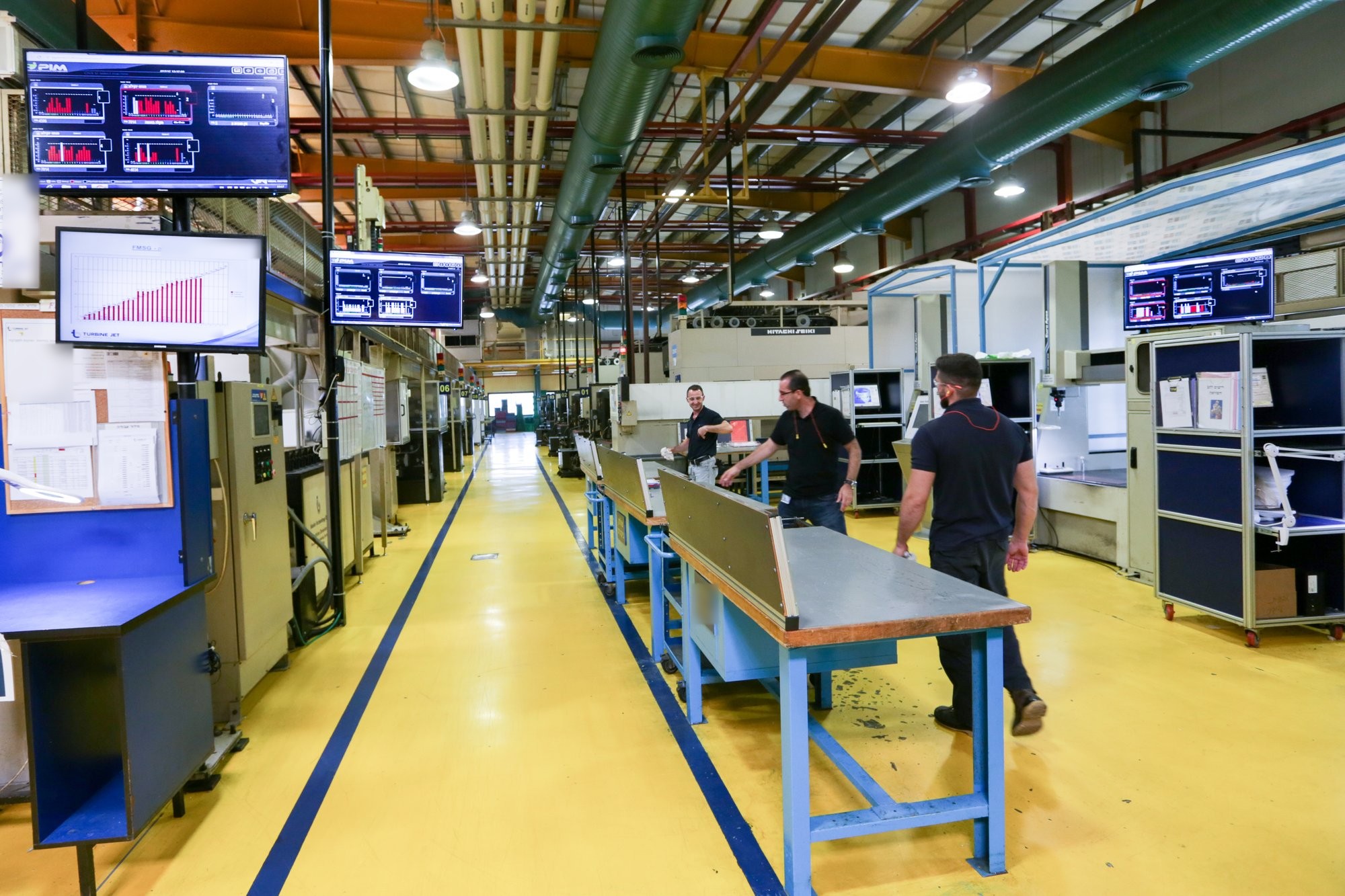

Supplier KPI Automation gives an OEM live OEE, MTBF, MTTR and days on hand from each supplier's MES and ERP, but a KPI is a site average and cannot say why it moved. Calls, visits and extra report columns all produce answers composed by the supplier afterwards. The practical fix is a short list of nominated cells at each critical supplier, connected by the supplier's own electrician through the machine's electrical signals, so the OEM sees the cell, shift and stop reason behind the number while the supplier runs Floor-to-Profit on the same connection.
A number is not a reason
Once an OEM reads its suppliers’ KPIs live instead of from a monthly spreadsheet, a new kind of question appears. The dashboard shows that MTBF at one supplier site has been falling for three weeks, or that raw-material days on hand have slipped under the agreed cover, or that OEE at a plant that was steady all year has dropped eight points. The number is correct. It was computed from the supplier’s own MES and ERP, with the same definition used for every other site. And it tells you nothing about why.
In our experience this is the moment most supply-chain teams underestimate. Getting the KPI on time was the part they planned for. Getting the reason behind it, in time to act, still runs on phone calls. A KPI is a site-level average; the cause is almost always one cell, one shift and one kind of stop, none of which is visible in a number rolled up to the site.
The three ways an OEM usually finds out
When a supplier number needs a reason, the OEMs we work with usually have three options, and they use all three. The first is a call to the supplier’s plant or quality manager, who gives an answer composed after the fact: a material issue, a tooling problem, an absent operator. The answer is sincere, and it is the supplier’s summary of its own week, which is not the same as what happened on the floor.
The second is a visit, or a supplier quality engineer sent to the site. This produces a better answer, later, for one site at a time, and the engineer sees the plant on the day of the visit, which is rarely the day the problem occurred.
The third is to ask for more detail in the next report: downtime by reason, by line, by shift. The supplier adds columns to the spreadsheet the KPI automation was supposed to retire, and the detail arrives at month end, typed by hand. All three answers share one weakness: they are produced by the supplier, after the event, for the customer. Nobody is being dishonest. The information simply was not captured when the loss happened.
Which cells to nominate
The alternative is not to connect the whole supplier plant. An OEM does not need, and a supplier will not offer, visibility of everything. What works is a short list of nominated cells: the machines that make your parts and whose loss would reach your line. In our experience the list is easy to agree once both sides look at it.
- Cells on the ramp path. Where a new program is launching and the supplier is still learning the part, the first months decide whether the ramp holds.
- Single-source cells. One press, one moulding machine or one machining cell with no alternate, where a day of downtime is a day of your inventory cover gone.
- Cells behind a thin days-on-hand number. If finished-goods cover at that site is already low, the machine that replenishes it is the one to watch.
- Cells where the KPI has already flagged something. A falling MTBF per end-of-line points at a line; the nominated cells are the machines on it.
A handful of cells per site is typical. The supplier knows which machines these are, usually better than the OEM does, and names them readily once it is clear that the scope stops there.
How a nominated cell is connected
A nominated cell is connected the same way any machine is connected to Visual Factories. A small IoT device is wired to the machine’s electrical signals. The supplier’s own electrician installs it in under an hour. There is no PLC connection, no change to programs, and no IT project on either side; the supplier’s own people do it, and nobody from the OEM has to visit the site.
The signals are the same on every machine: running, stopped, cycle, count. What differs is the machine, the process, the product and the operating environment, even for two presses standing side by side. The Universal Adapter, in the cloud, interprets those same signals with the context of that specific machine, so a large press at one supplier and a five-axis machining centre at another arrive on the same screen as comparable uptime, downtime and throughput.
This matters for a second reason. Not every supplier has an MES to read; many Tier-2 plants run on the ERP and on paper. For those sites the connected cells are not a second layer but the practical way to get an OEE at all, computed from the machine rather than from a database that does not exist.
What both sides see
Once the nominated cells are live, the OEM sees their uptime, downtime and throughput as they happen, and, when the cell stops, the reason. The reason is not composed afterwards for the customer; the operator tags it on the floor monitor at the time, in the supplier’s own reason codes, and the record is the same one the supplier’s production manager sees in the morning meeting. When the supplier’s MTBF falls, the OEM can now open the number and see the cell, the shift and the kind of stop behind it, before the call is made.
The supplier gets at least as much. The same connection runs the Floor-to-Profit method on its own floor: the plant sees which cell is the constraint, works the largest loss first and watches the number move. In the plants we connect, that is what turns a customer’s monitoring request into something the supplier wants. The scope stays what was agreed: the supplier sees its whole plant, the OEM sees the nominated cells and the five site-level KPIs, and both look at one dataset rather than two versions of the same week.
This is the second layer of the OEM Supply-Chain Visibility product: Supplier KPI Automation reads OEE, MTBF, MTTR and days on hand from each supplier’s MES and ERP through a supplier-installed, read-only client, and machine-level visibility at the nominated cells answers the question the KPI raises. If you want to walk through your own supplier list and decide which cells you would nominate first, write to us.
What we learned
A supplier KPI read live is a large improvement over a spreadsheet read late, and it is still only a number. The reason behind it lives at one cell, on one shift, and is only reliable if it was captured when the loss happened rather than reconstructed afterwards. Connect a few nominated cells at each critical supplier, through the signals every machine already has, with the supplier’s own electrician, and the KPI becomes something both sides can open. The OEM stops chasing explanations, and the supplier gets a live view of its own floor from the same connection.
Questions people ask
Why is a live supplier KPI not enough on its own?
A KPI such as OEE or MTBF is an average for the whole supplier site. When it moves, the cause is almost always one cell, one shift and one kind of stop, and none of that is visible in a number rolled up to the site. The KPI tells the OEM that something changed, not why.
Does the OEM need to connect the whole supplier plant?
No. In our experience a short list of nominated cells is what works: the machines that make the OEM's parts and whose loss would reach its line, typically a handful per site. The supplier sees its whole plant; the OEM sees the nominated cells and the five site-level KPIs.
How is a nominated cell at a supplier connected?
A small IoT device is wired to the machine's electrical signals and the supplier's own electrician installs it in under an hour. There is no PLC connection, no change to programs and no IT project on either side. The signals are the same on every machine, running, stopped, cycle and count, and the Universal Adapter interprets them with the context of that specific machine.