






← Back to Products
← Back to Products  ›  Scheduling & Dispatching

The whiteboard, digitized. And live.

A scheduling board that replaces whiteboards and spreadsheets: orders assigned to machines, progress measured from the machine's own signals, and planning and operations working from one truth. No typing on the floor. No debate in the morning meeting.

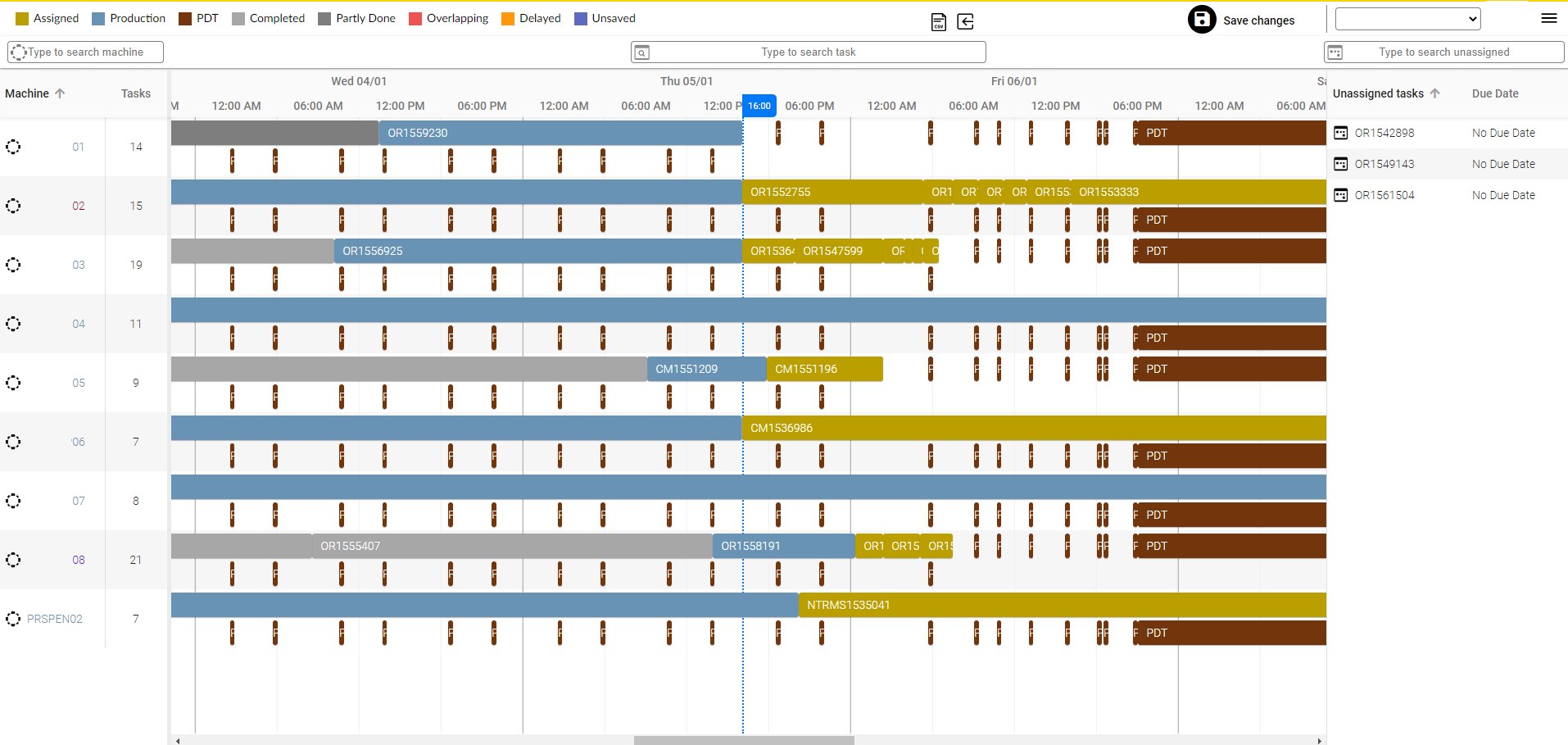
Visual Factories scheduling board: machine timeline with assigned orders, unassigned tasks and due dates
Real timeprogress from machine signals
2 ways inERP gateway or csv/xls upload
Daily PDFautomatic report to management
Rolls-RoycePratt & WhitneyGühringDinexTecvoxTrinityRailTAV Medical
The problem

The plan lives on a whiteboard. Reality lives on the floor.

Most plants still dispatch from a whiteboard, a spreadsheet or a printout. It is right at 7 a.m. and wrong by 9. Nobody knows which order is actually running, how far it is, or that the delivery is already lost.

01

The board goes stale the moment the shift starts

A breakdown, a rush order, a missing tool — and the whiteboard no longer describes the floor. Updating it means walking, asking and rewriting.

02

Planning and operations argue about what happened

Supervisor spreadsheets and end-of-shift reports. Production numbers debated daily, explained from memory.

03

Late is discovered when it is already late

Progress is not measured, it is estimated. By the time someone notices an order is behind, the promise to the customer is gone.

A schedule nobody can check against reality is a wish list.
What you get

One board. Planning assigns it, the floor sees it, the machines report it.

Real-time management at your fingertips: monitor, control, decide — and communicate between planning and operations without a single phone call.

Scheduling board — machine timeline and unassigned tasks
01 · Scheduling board

Assign orders to machines on a live timeline

Drag an order from the unassigned list onto a machine. Due dates, sequence and load are visible at a glance — and every task carries its real status.

AssignedProductionCompletedOverlappingDelayedPlanned Downtime
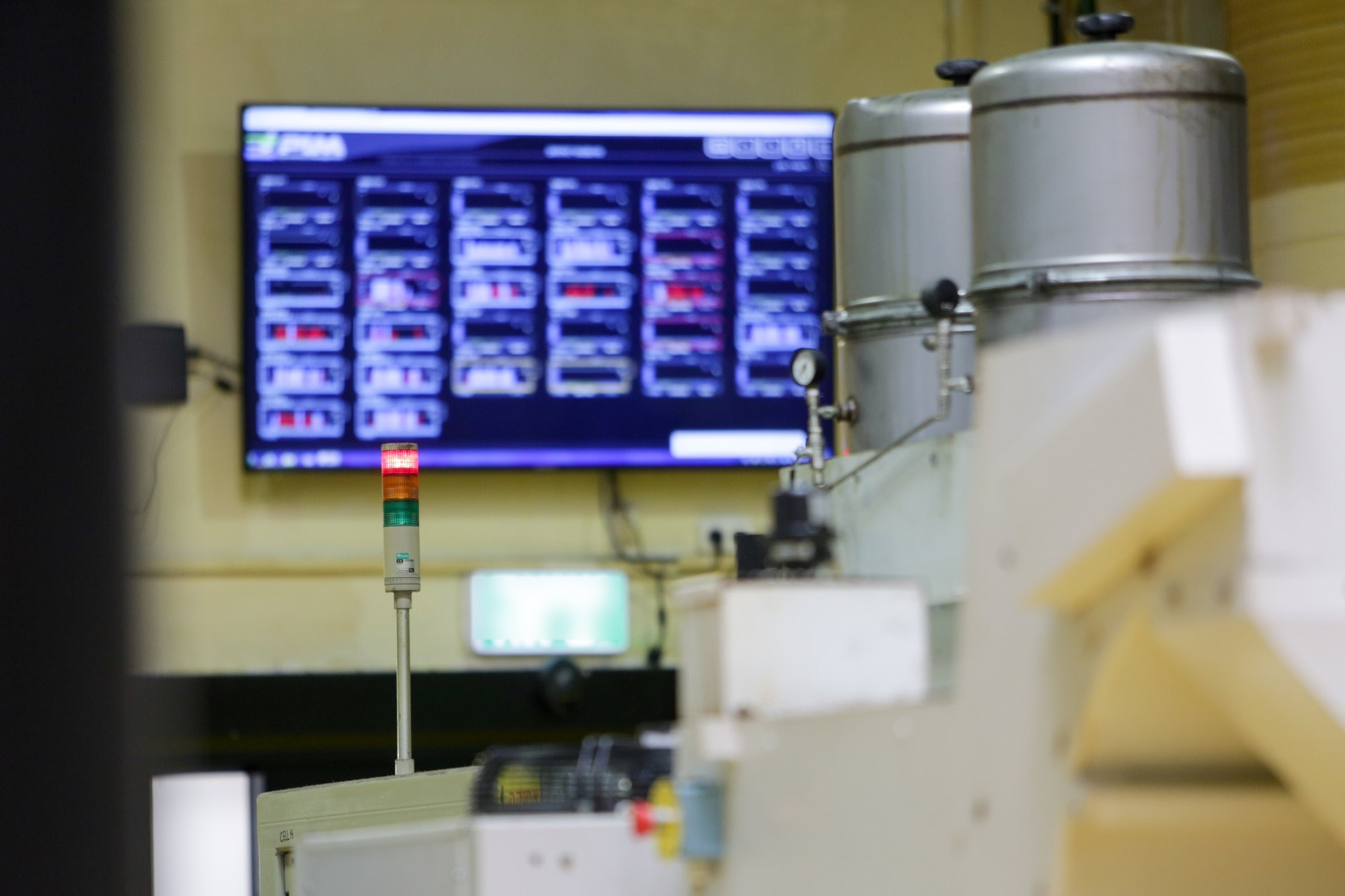
Visual Factories real-time monitor on the shop floor
02 · Real-time monitor

The floor sees the current order and the next

Progress comes from the machine's electrical signals, not from what someone typed. When the board changes, the floor monitor changes. When the machine runs, the board knows.

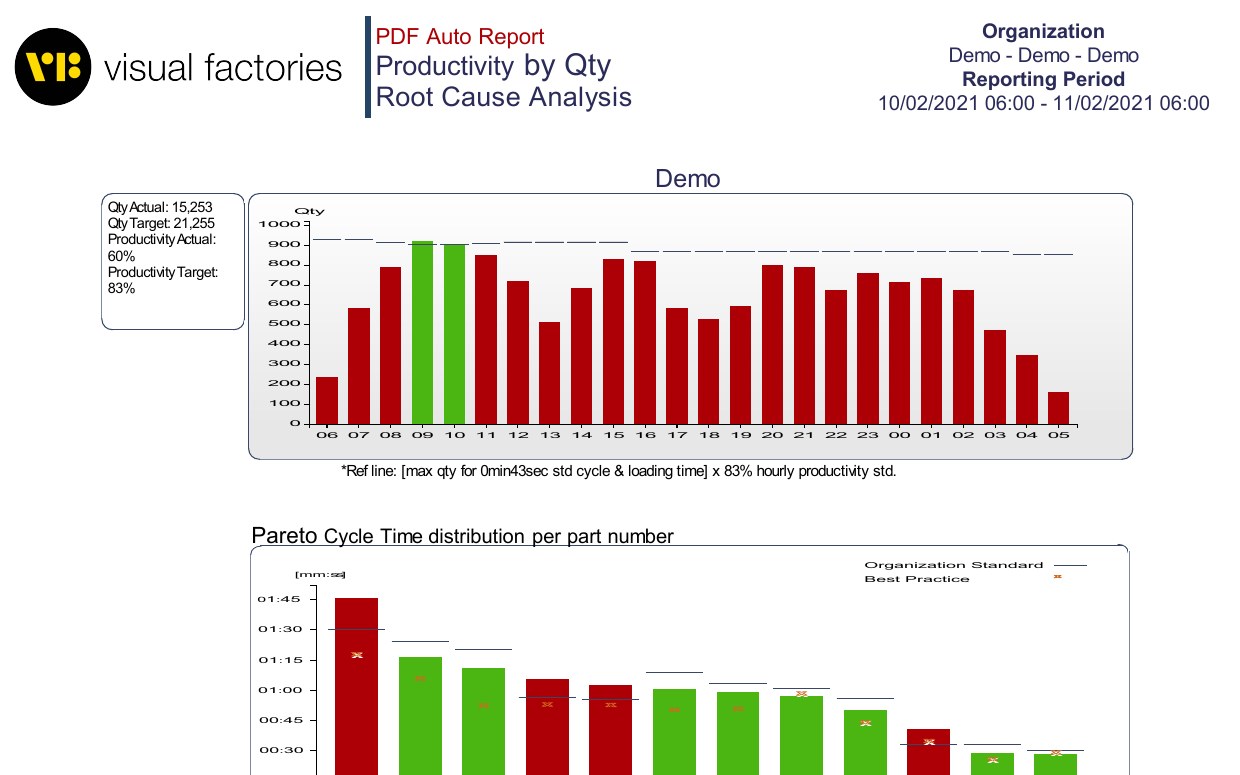
Visual Factories daily PDF report — productivity by quantity and root-cause analysis
03 · Reports

Daily PDF to management. Orders report on demand.

Every morning: quantity vs target per hour, cycle-time Pareto per part, operator time usage and productivity, per-machine detail with stop reasons. Orders and analytics reports on demand for the weekly review.

Data entry

Two ways in for the plan. One way in for reality.

Orders arrive the way your plant already works. Actuals arrive from the machines. Nobody types the same number twice.

1 · ERP gateway
Orders flow in automatically

Work orders from the ERP appear on the board; completed quantities flow back. No re-keying, no second system to maintain.

2 · csv/xls upload
Start this week, no integration

Export the order list you already have, upload it, dispatch. The fastest way to replace the whiteboard — and a full plan for the demo.

Actuals · from the machine
Progress measured, not reported

Through the electrical signals every machine has — an IoT device the machine electrician installs in under an hour, the Universal Adapter in the cloud reads the rest. Cycle counts, running, stopped: live on the board without anyone touching a keyboard.
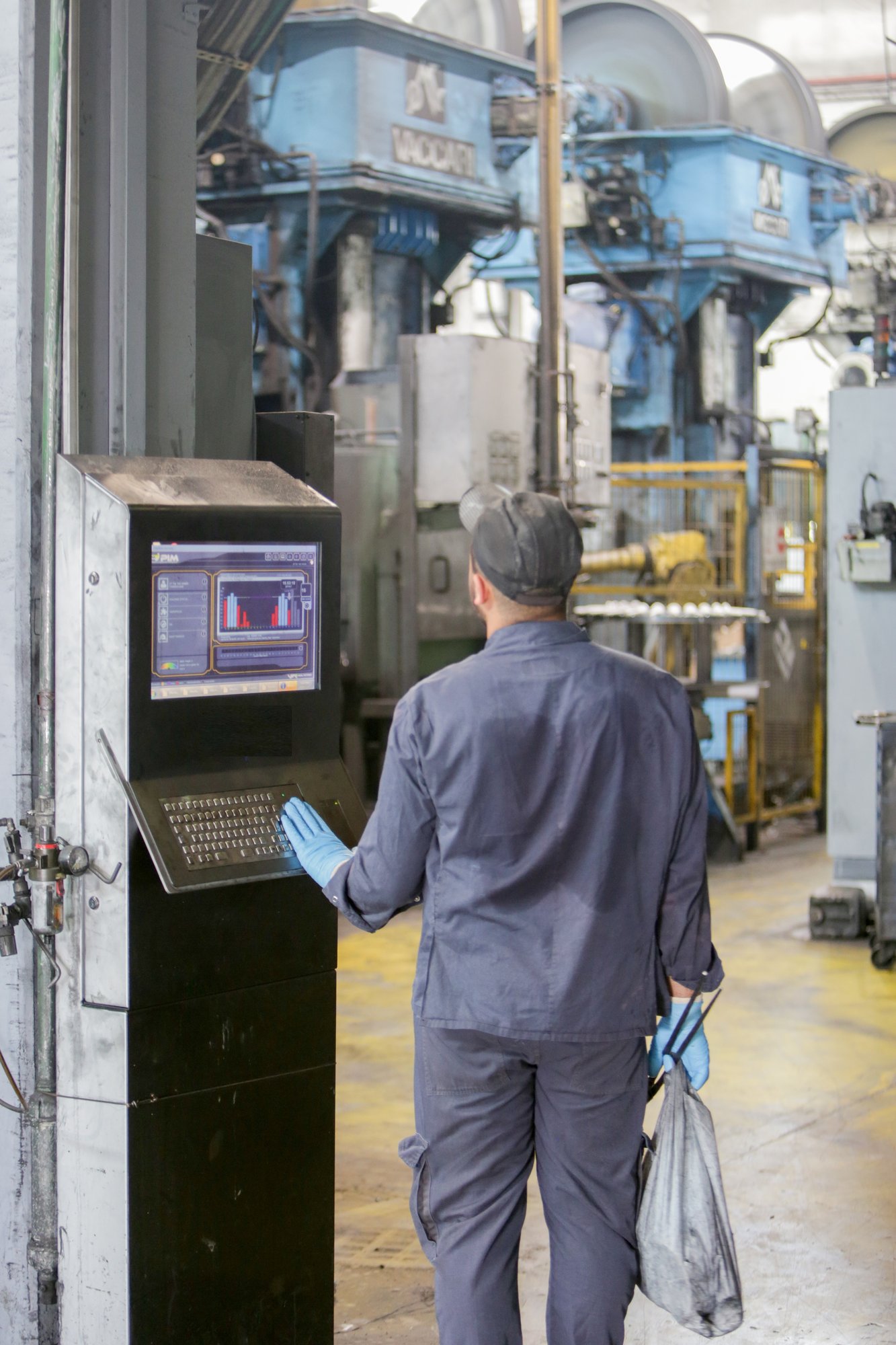
Operator checking the next order on a Visual Factories kiosk between the presses
How it works

Plan it. Dispatch it. Watch it happen.

The board closes the loop between the office and the floor — every hour, not every morning.

01 · Plan
Orders on the board

From the ERP or a csv/xls file. Due dates and quantities attached. The unassigned list shows what still needs a home.

02 · Dispatch
Assign to machines

Drag, sequence, save. The floor monitors update instantly — operators see the current order and what comes next.

03 · Run
Progress from the signals

Counts and states come from the machine. Status turns to Production, Partly done, Completed — or Delayed, before anyone has to ask.

04 · Adjust
Decide with facts

Overlapping or delayed orders light up. Re-sequence in seconds, and the morning report explains the shift with numbers, not memory.

Same platform

The board runs on the same data as your OEE.

Scheduling & Dispatching is one application of the Visual Factories platform. The same connection that feeds the board feeds OEE improvement, tool-life monitoring and the AI agent that turns losses into tasks. Connect once; add applications as you go.

See the OEE Improvement application →
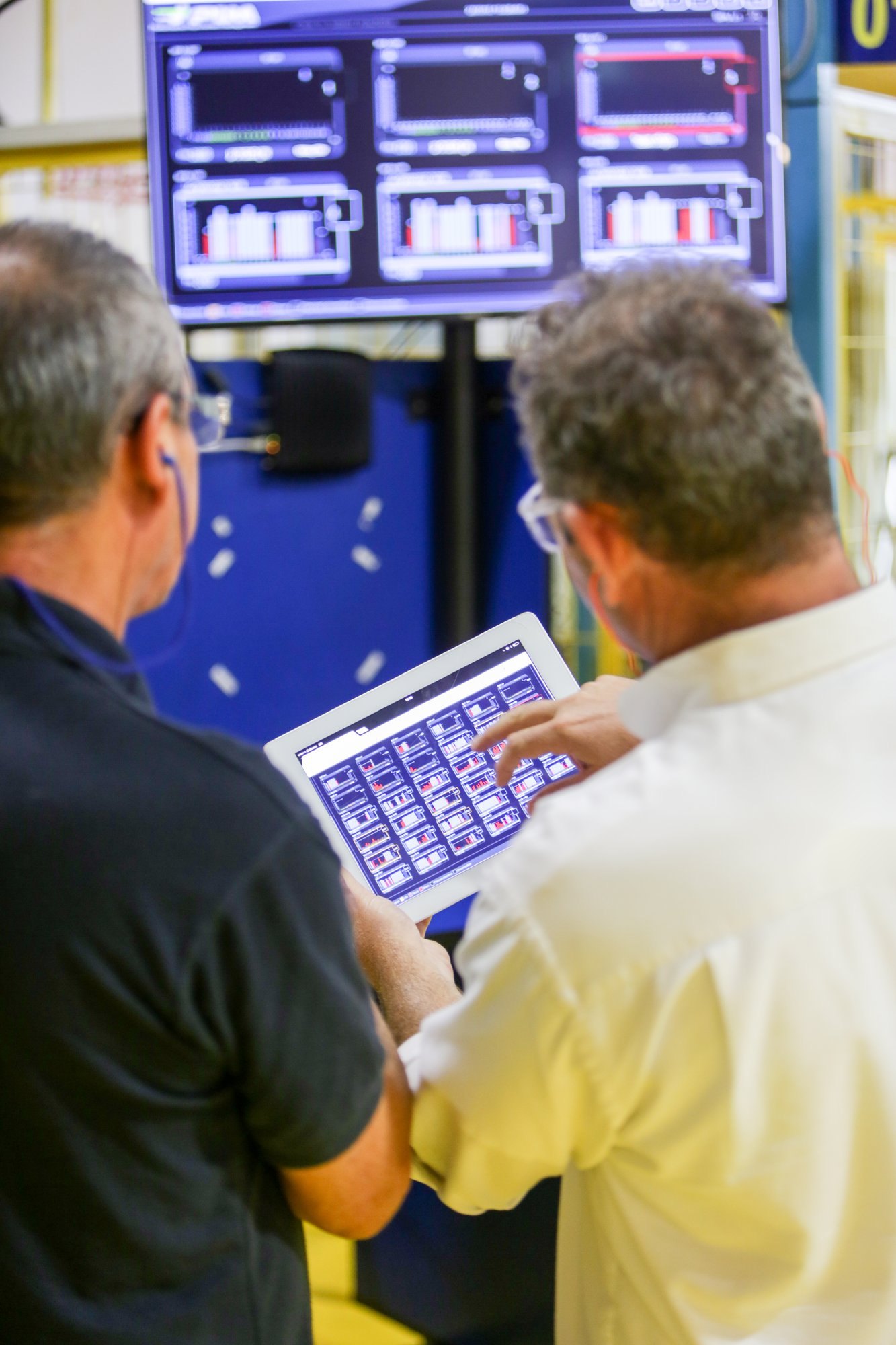
Managers reviewing Visual Factories data on a tablet
What changes

Replace manual reporting with machine data.

Today
  • Whiteboard or spreadsheet, rewritten every shift
  • Production numbers debated daily
  • Losses explained from memory
  • Late orders discovered at delivery
With Visual Factories
  • One digital board — office and floor see the same thing
  • Automatic, machine-generated progress
  • One source of truth, trusted by the floor
  • Delays visible while there is still time to act
Who uses it
Planner
Dispatches in minutes

Load and sequence on one screen. Changes reach the floor the moment they are saved.

Supervisor
Runs the shift by exception

Delayed and overlapping orders stand out. Walk to the problem, not to every machine.

Operator
Always knows what is next

Current order and the one after on the monitor. No paper, no waiting for instructions.

Plant manager
Gets the truth every morning

The daily PDF: what was planned, what was made, where the hours went — before the meeting starts.

Free download

Scheduling & Dispatching overview

The board, the real-time monitor, the reports and the two ways to get your orders in — on two pages, for planners and plant managers who want to retire the whiteboard.

PDF · 2 pages · includes the "is my plant ready" checklist


    Retire the whiteboard this month.

    Bring this week's order list to the demo. We put it on the board, connect one machine, and you watch the first order report itself.

    ✓ 14-day Activation Sprint✓ Money-back SLA✓ No IT project✓ ISO 27001

    ← Back to all products

    Scroll to Top

    Schedule a Free Trial

    Please fill in your details so we can get in touch and start your free trial.